Edmonton Realtor pilot
Give every listinga better home handoff.
Guide sellers and buyers with stage-based checklists, co-branded home reports, and practical post-closing Q&A.
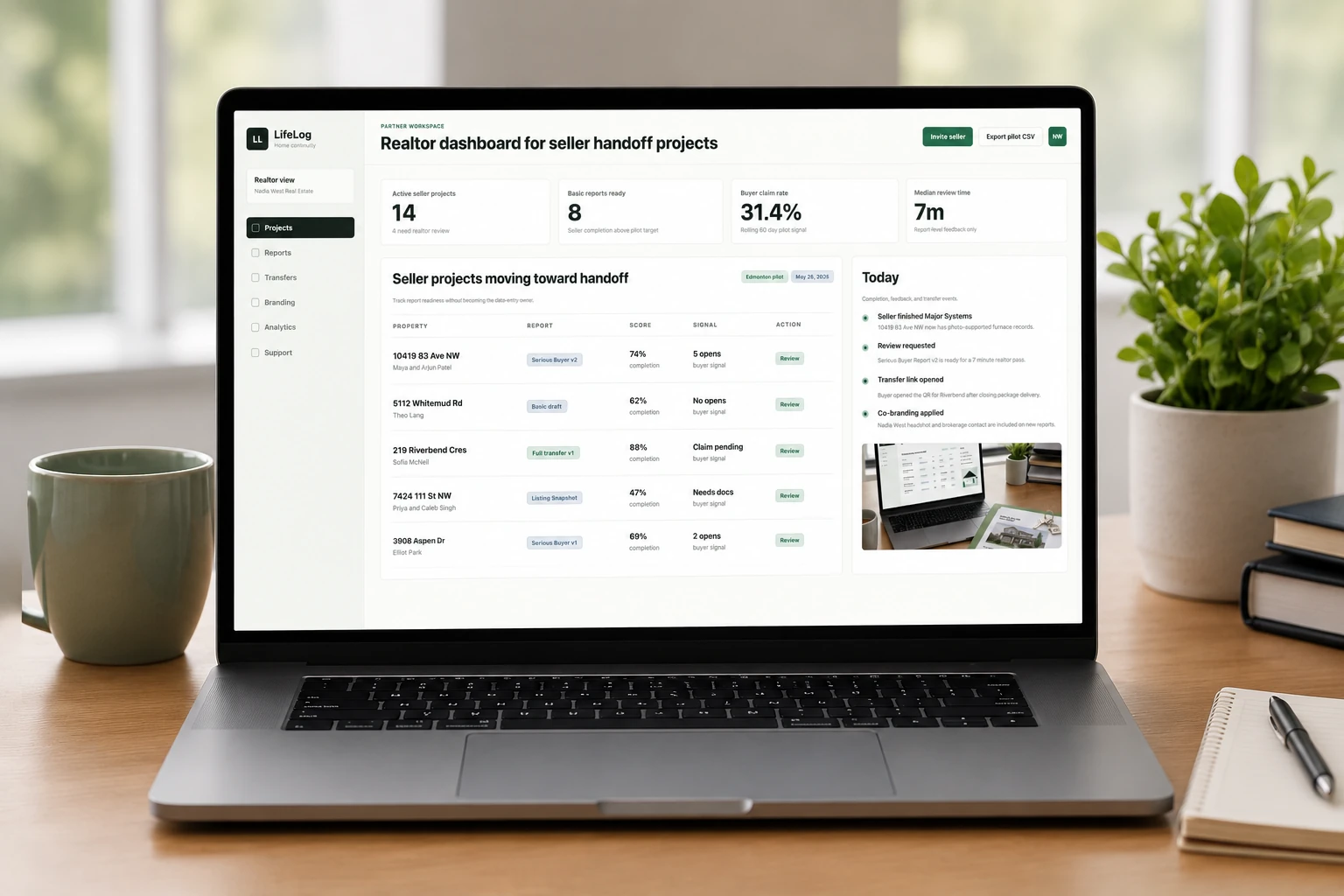
Track handoff readiness alongside report completion.
Share a search-to-closing checklist as an early value-add.
Move from snapshot to transfer, then clarify practical questions.
Built for better handoffs
LifeLog Home creates clarity, confidence, and continuity for everyone at the table.
For Realtors
- Track seller checklist and report readiness
- Share buyer journey checklists
- Co-brand reports by deal stage
- Reduce post-closing message relays
For Sellers
- See what to prepare before handoff
- Organize records and seller notes
- Share safe transfer/reset instructions
- Answer practical questions in one place
For Buyers
- Follow a search-to-closing checklist
- Review the right report at each stage
- Claim a live home history after closing
- Ask practical handoff questions
Realtor workspace
Track the handoff without becoming the data-entry owner
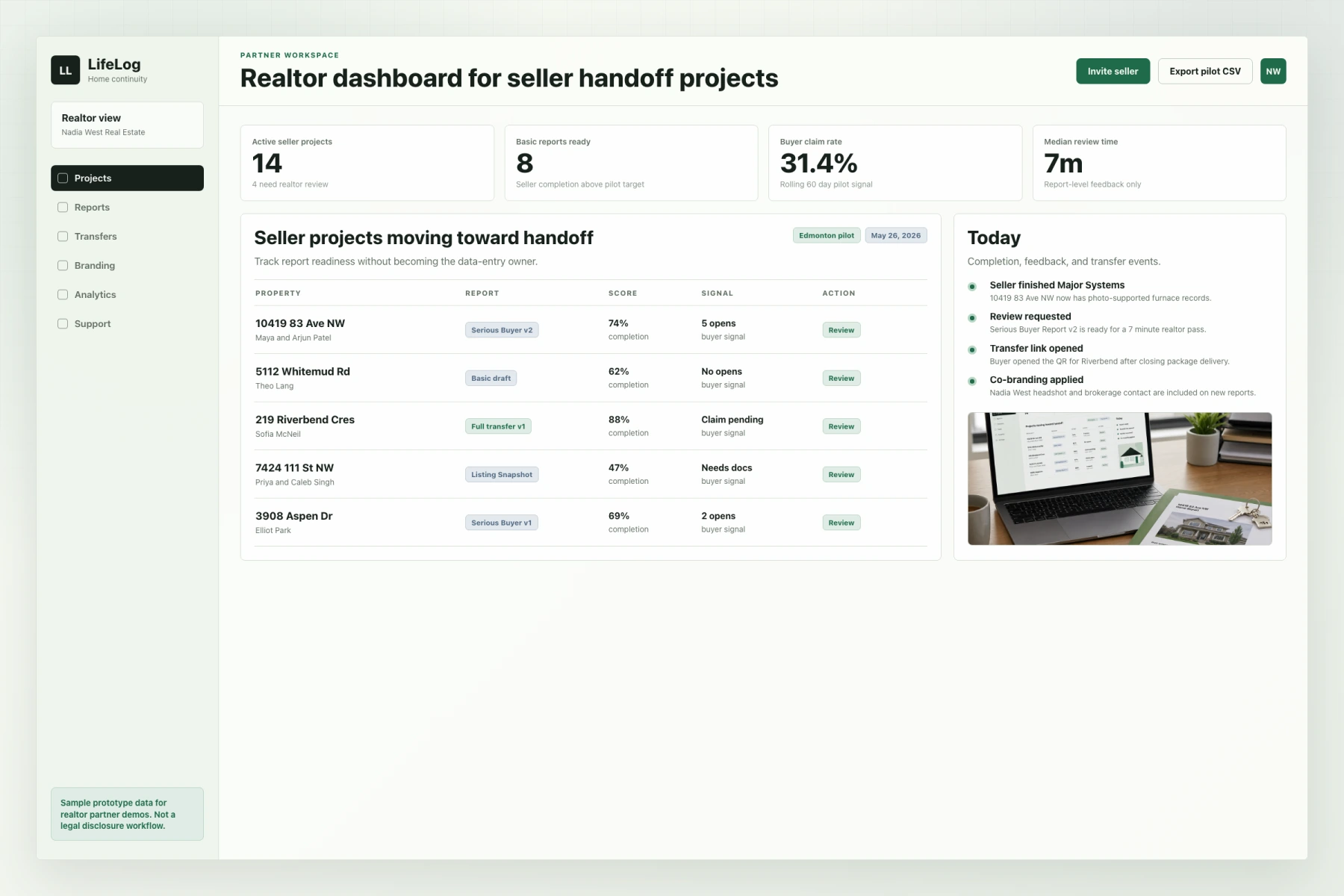
LifeLog gives Realtors a simple workspace for seller prep, report versions, buyer journey guidance, claim signals, and handoff clarification.
- Assign a reusable Seller Handoff Prep Checklist
- Share a Buyer Journey Checklist before a property is chosen
- Add Realtor and brokerage co-branding
- Track checklist completion, report versions, buyer claim, and Q&A status
Report products
Three levels for different moments in the deal
Start light for listing prep, then deepen the record as buyer interest and closing certainty increase.
Listing Snapshot
- When
- Use at listing review or early buyer interest
- Audience
- Public or listing-adjacent buyers
- Realtor value
- Gives buyers a marketing-safe first look at upgrades, warranties, known system ages, and home context.
Serious Buyer Report
- When
- Use around offer writing or condition review
- Audience
- Recipients with shared access
- Realtor value
- Answers deeper buyer questions with source labels, photos, seller notes, and document context.
Full Transfer Report
- When
- Use at closing or possession handoff
- Audience
- Buyer through single-use claim link
- Realtor value
- Creates the buyer-owned home workspace and opens the optional practical handoff Q&A window.
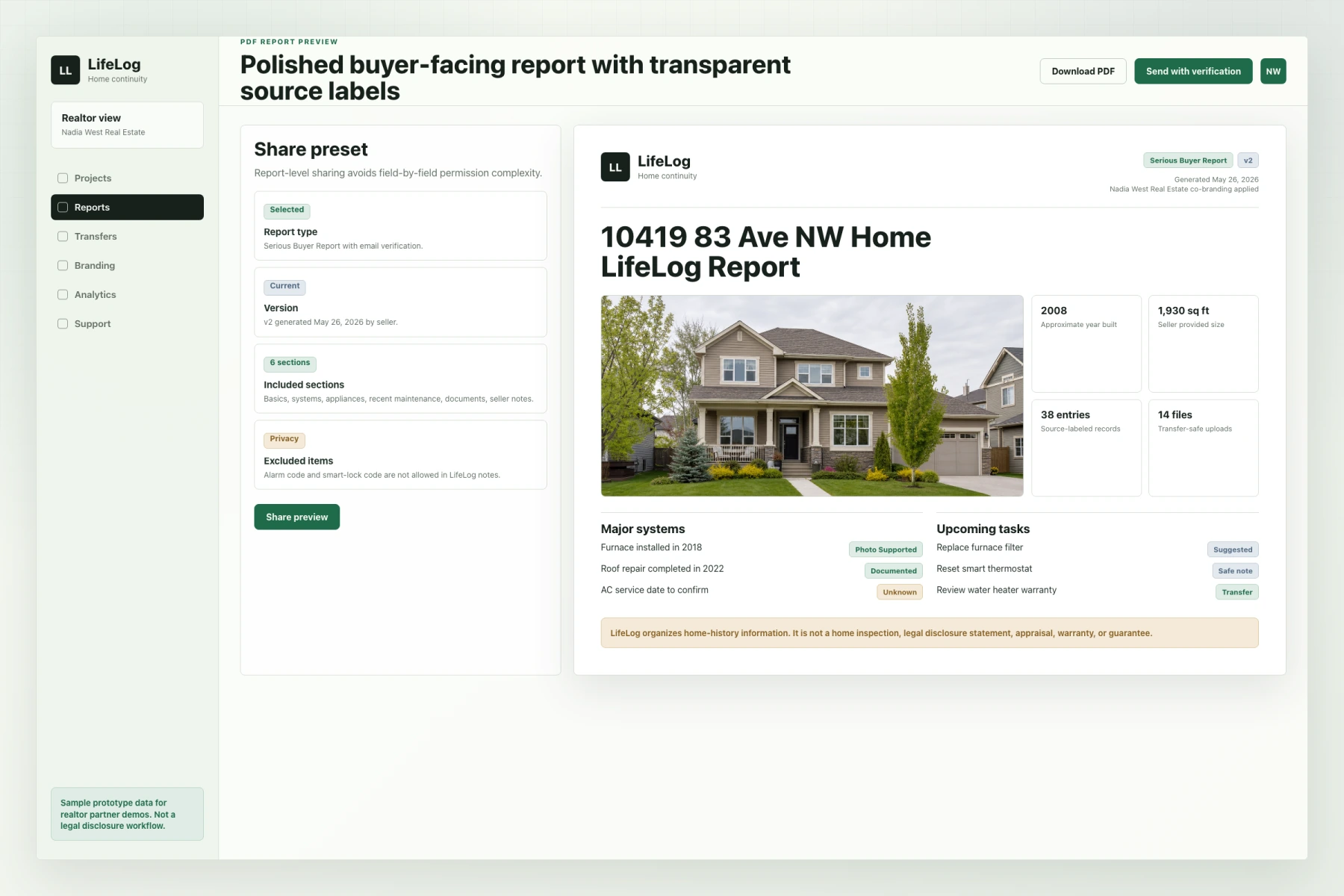
Sample report
Give buyers the right record at the right moment
A buyer-facing report makes seller notes, documents, checklist context, system details, and unknowns easier to understand.
- Transparent source labels
- Photo-supported records
- Checklist-ready handoff context
- Post-closing clarification path
Seller to buyer handoff
A smoother handoff withoutextra Realtor admin.
LifeLog guides the seller through the home record, helps you review the report before sharing, and gives the buyer a useful copy after closing.
You stay in controlInvite, review, approve, and transfer. LifeLog handles the structure, reminders, files, source labels, and buyer handoff.
1
Seller builds the record
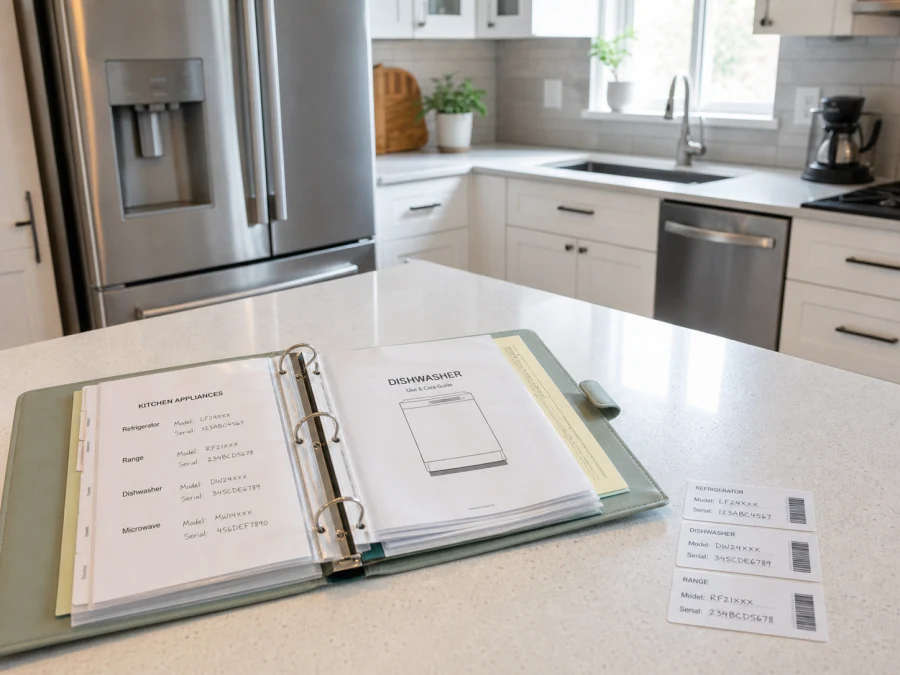
Guided checklist for systems, documents, warranties, manuals, photos, notes, and possession-day details.
Section progress5 of 6 sections ready
Property basicsComplete
Major systemsIn progress
AppliancesComplete
Documents & photosNeeds review
Recent maintenanceComplete
Seller notesDraft
2
Realtor reviews and shares
See readiness, missing items, report versions, and feedback before sending anything to the buyer.
68%Overall
Top suggestions
Add water heater install dateHigh
Attach furnace service photoMedium
Confirm AC service dateLow
Report versions
Full Transfer Report v1CurrentUpdated today
Serious Buyer Report v2DraftUpdated May 22, 2026
3
Buyer claims a live copy
The buyer receives a polished PDF report and a secure claim link or QR code, then keeps an independent home workspace.
LifeLog Home Report
10419 83 NW
Edmonton, Alberta

2008Year built1,930 sq ftSize38Entries
Claim your home copy
Scan QR code or use secure link to claim your LifeLog.
Claim link activeExpires June 14, 2026
Your workflow stays simple and in control.
Invite sellerSend an invite and kick off the checklist.
Track progressMonitor completion and get alerts.
Review reportCheck readiness, add feedback, approve.
Share PDFSend the right report with your branding.
Activate transferBuyer claims a live copy after closing.
Checklists and Q&A
Two checklists and one calmer handoff channel
LifeLog adds lightweight guidance around the report so clients know what to do before, during, and after the transaction.
Seller Handoff Prep Checklist
A property-specific checklist helps sellers prepare records, manuals, keys, remotes, utilities, transfer notes, and closing-day handoff items.
- Reusable Realtor default
- Light per-listing edits
- Completion visible beside report readiness
Buyer Journey Checklist
A buyer-side Realtor can share a simple guide for search prep, offer writing, accepted offer tasks, closing prep, utilities, insurance, and move-in basics.
- Read-only MVP link
- No buyer account required
- Not tied to a specific property yet
Handoff Q&A window
After closing, buyers can ask sellers practical operating questions through a time-boxed, contact-protective channel.
- Practical move-in questions only
- No direct contact exposed by default
- Archived after the window closes
Trust notes for a safer handoff
Report access is controlled and transfer links are explicit.
Clarifications are time-boxed, contact-protective, and practical.
Buyer and seller checklist items are reminders, not professional advice.
LifeLog is not an inspection, disclosure, appraisal, or warranty.
Use reset instructions, not passwords, alarm codes, passcodes, or credentials.
Pilot pricing
Pilot LifeLog on one upcoming listing
Early Edmonton Realtors can test LifeLog with a real seller workflow, checklist setup, buyer-side guidance, sample report review, and founder-led onboarding.
Ready to elevate your client experience?Book a personalized demo and see how LifeLog Home can fit your workflow.
Frequently asked questions
A Basic LifeLog can be useful in about 30 minutes. Sellers can continue adding photos, notes, records, checklist items, and transfer details over time.
Still have questions?